Claude Code
第一步:安装 Claude Code
若您已安装好 Claude Code ,可以跳过这一步
- 打开 windows 终端中的 powershell 终端
- windows 上安装 nodejs
- 右键按 Windows 按钮,点击「终端」
然后依次执行下面的
- winget install OpenJS.NodeJS
- Set-ExecutionPolicy -Scope CurrentUser RemoteSigned
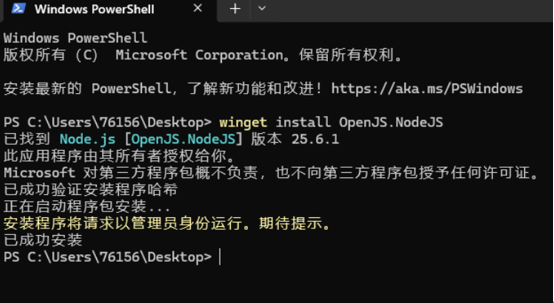
然后关闭终端窗口,新开一个终端窗口
安装 claude-code
- npm install -g @anthropic-ai/claude-code --registry=https://registry.npmmirror.com
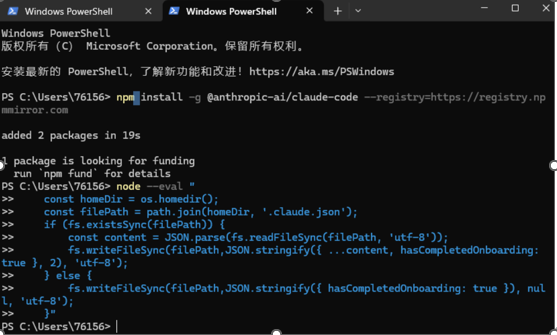
第二步:配置环境变量
- 编辑或新增 `settings.json` 文件
- 注意替换里面的 `输入你的key` 为您获取到的 API Key
{
"env": {
"ANTHROPIC_AUTH_TOKEN": "输入你的key",
"ANTHROPIC_BASE_URL": "https://hs32.com/api/anthropic",
"API_TIMEOUT_MS": "3000000",
"CLAUDE_CODE_DISABLE_NONESSENTIAL_TRAFFIC": 1
},
"hasCompletedOnboarding": true
}
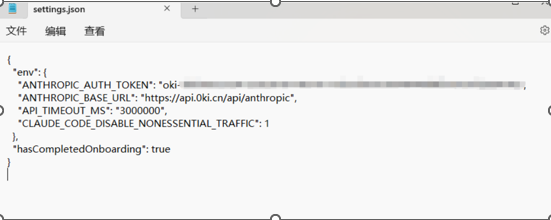
第三步:开始使用claude code
- 打开cmd,输入claude
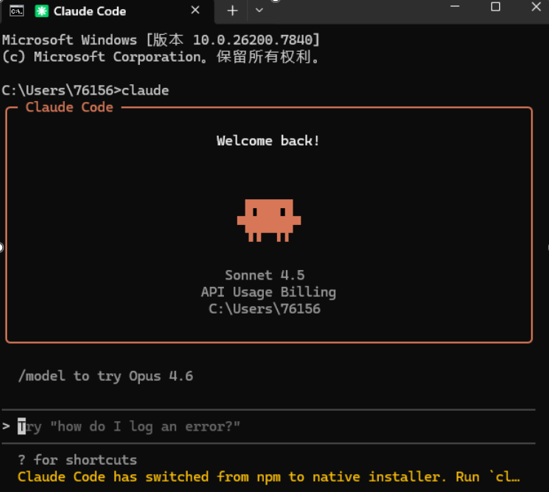
- 在对话框中发送测试指令‘你好’,并观察效果
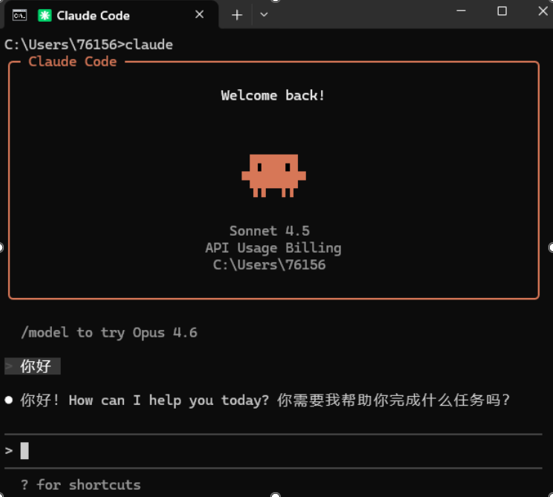
结语:完毕!现在就可以正常使用 Claude Code 进行开发了。
Q&A
1、Claude出现网络错误或者ERROR SSL这种错误 shell执行# 初始化配置:
node --eval "
const homeDir = os.homedir();
const filePath = path.join(homeDir, '.claude.json');
if (fs.existsSync(filePath)) {
const content = JSON.parse(fs.readFileSync(filePath, 'utf-8'));
fs.writeFileSync(filePath,JSON.stringify({ ...content, hasCompletedOnboarding: true }, 2), 'utf-8');
} else {
fs.writeFileSync(filePath,JSON.stringify({ hasCompletedOnboarding: true }), null, 'utf-8');
}"
2、如需指定模型:
{
"env": {
"ANTHROPIC_AUTH_TOKEN": "请输入你的密钥",
"ANTHROPIC_BASE_URL": "https://hs32.com/api/anthropic",
"API_TIMEOUT_MS": "3000000",
"ANTHROPIC_MODEL": "glm-5",
"CLAUDE_CODE_DISABLE_NONESSENTIAL_TRAFFIC": "1"
},
"permissions": {
"allow": [
"Bash(grep:*)",
]
},
"model": "glm-5"
}
注意:增加 "ANTHROPIC_MODEL": "glm-5",